
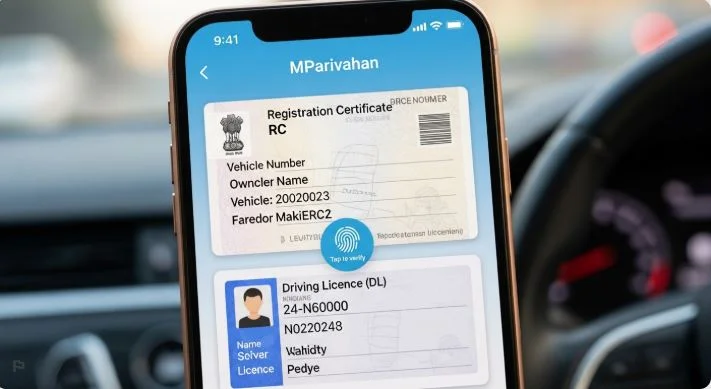
The mParivahan app is an official mobile application that allows you to access your vehicle and driving licence details digitally. Instead of carrying physical documents, you can store and show your RC (Registration Certificate) and Driving Licence (DL) directly on your phone.
This guide explains what you can do, who can use it, required details and exact steps so you can complete everything without confusion.
Access mParivahan App
Check your vehicle details instantly via the official mParivahan portal
You will be redirected to the official mParivahan portal.
What is mParivahan App?
mParivahan is a government-supported mobile application designed to provide RTO services in digital format. It connects with central databases and shows real-time information related to vehicles and licences.
You can use it to:
- Check mParivahan vehicle details.
- Store RC and DL digitally.
- Verify second-hand vehicles.
- Check registration and licence status.
- Access transport-related services.
📌 What You Can Do With mParivahan App
Check owner, model & status
Store RC on your phone
Access DL anytime
Avoid fraud in resale deals
Check Vehicle Owner Details Using mParivahan App
One of the most used features is checking vehicle information before buying or verifying ownership.
✅ Eligibility
- Anyone with a smartphone can use it.
- No registration required for basic search.
- You should have valid driving licence.
📄 Required Details
- Vehicle registration number.
- DL number.
- Date of Birth.
🔄 Step-by-Step Process
- Install and open mParivahan rc download app.
- Click on “RC Information.”
- Enter vehicle number.
- Click search.
- View vehicle details instantly.
📌 What Information You Get
- mParivahan vehicle owner details (partially masked).
- Vehicle model and type.
- Registration date.
- Fuel type.
- Insurance and fitness status.
👉 Related page: rto-vehicle-guide
Add Driving Licence (DL) in mParivahan
You can store your driving licence digitally and use it when required.
✅ Eligibility
- Must have a valid driving licence.
- Mobile number linked with DL (recommended).
📄 Required Details
- Driving licence number.
- Date of birth.
🔄 Steps to Add DL
- Open mParivahan app
- Go to “DL Dashboard”
- Enter DL number and DOB
- Verify details
- Save digital DL
📌 Benefits
- No need to carry physical licence
- Accepted by traffic police
- Quick verification
👉 Full guide: driving-licence-guide
Add Vehicle RC in mParivahan App
You can also store your vehicle RC digitally.
✅ Eligibility
- Vehicle must be registered in your name
📄 Required Details
- Vehicle registration number
🔄 Steps to Add RC
- Open app
- Go to mparivahan RC online Dashboard
- Enter vehicle number
- Fetch details
- Save digital RC
📌 Benefits
- Use RC anywhere
- Instant verification
- No risk of losing documents
👉 Learn more: vehicle-registration-guide
Is Digital DL & RC Valid?
Yes, digital documents shown in mParivahan are legally valid.
Traffic police can accept:
- Digital Driving Licence
- Digital RC
However:
- Keep your phone charged
- Ensure details are clearly visible
Verify Second-Hand Vehicle
Before buying a used vehicle, always verify details.
📌 Why This Matters
- Prevent fraud
- Confirm ownership
- Check legal status
🔄 Verification Process
- Enter vehicle number
- Check owner and vehicle details
- Match seller information
- Confirm before payment
👉 Check now: rto-vehicle-information
⚠️ Common Issues & Fixes
Vehicle details not showing
- Check number format
- Try again after some time
DL not found
- Ensure correct DOB
- Verify licence number
App not working
- Update app
- Check internet connection
Real User Experience
- Always save your RC & DL after fetching.
- Take screenshot backup for emergencies.
- Use correct format (e.g., DL-XXXX…).
- Don’t rely on memory and verify details before buying vehicles.